
Estimate the hours first.
Use battery watt-hours, average load, efficiency and a reserve. Change any field to see the planning estimate update instantly.
Quick answer
Runtime (hours) = battery watt-hours × efficiency × (1 − reserve) ÷ average load in watts. With this calculator's defaults (85% efficiency, 10% reserve), that's hours ≈ Wh × 0.765 ÷ watts. A 1,000 Wh station running a 100 W average load lasts about 7.7 hours. Enter your own numbers above for the estimate, then use the sections below to pick realistic inputs. Most surprises come from the load, not the battery.
Example station: Bluetti AC180. 1,152 Wh battery and 1,800 W AC output, close to the ~1 kWh examples on this page. Enter 1,152 Wh in the calculator to estimate your runtime.
How to use the runtime calculator
| Field | What to enter | Where to find it |
|---|---|---|
| Battery capacity (Wh) | Rated capacity in watt-hours | Product page, manual or label. If only Ah is given: convert Ah to Wh (Wh = Ah × nominal battery voltage) |
| Average load (W) | Average watts over the time you care about, not the peak | Device label (or amps × 120 V), a plug-in watt meter, or the station's output display |
| Efficiency (%) | 85% for AC loads is a reasonable planning default | Use the manual's figure if it publishes one. DC/USB paths often lose less |
| Reserve (%) | 10% default, so you're not planning on 0% | Raise it if you need charge left for an emergency |
Runtime chart: how long will a power station last?
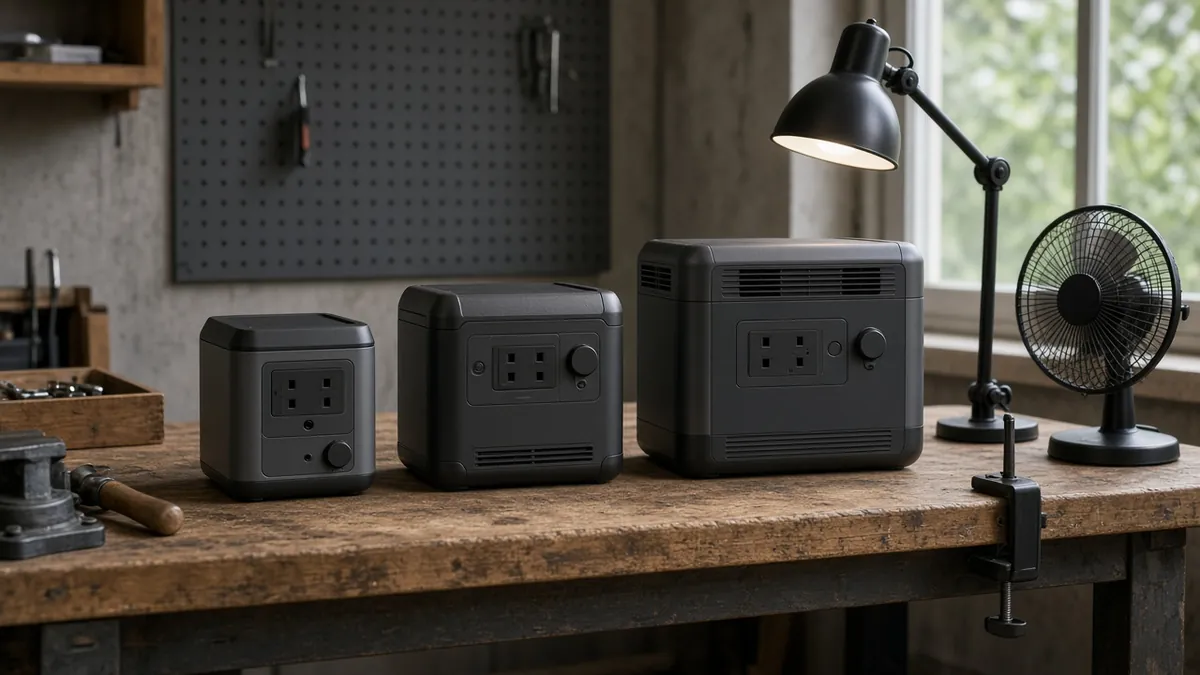
Hours at a steady average AC load, 85% efficiency, 10% reserve:
| Capacity | 25 W | 50 W | 100 W | 300 W | 500 W | 1,000 W |
|---|---|---|---|---|---|---|
| 256 Wh | 7.8 | 3.9 | 2.0 | 0.7 | 0.4 | 0.2 |
| 500 Wh | 15.3 | 7.7 | 3.8 | 1.3 | 0.8 | 0.4 |
| 1,000 Wh | 30.6 | 15.3 | 7.7 | 2.5 | 1.5 | 0.8 |
| 2,000 Wh | 61.2 | 30.6 | 15.3 | 5.1 | 3.1 | 1.5 |
| 3,000 Wh | 91.8 | 45.9 | 22.9 | 7.7 | 4.6 | 2.3 |
These are calculated planning figures, not test results. A load above the station's continuous output rating won't run at all, whatever the battery size.
The formula, step by step
Worked example:
- Start with a 1,024 Wh battery rating from the station's product sheet.
- Use a 75 W average load for a hypothetical laptop-and-router setup.
- Keep the default 85% efficiency and 10% reserve.
- 1,024 × 0.85 × 0.90 ÷ 75 ≈ 10.4 hours.
- Test the real setup: chargers, the station's display and standby draw, and workload all move the average.
For small loads, add the station's own draw
Inverters and screens use power even with a light load. Bluetti's published AC180 runtime formula adds about 15 W of self-consumption to the load, and Jackery lists 18 W standby consumption for the Explorer 1000 v2. Add a similar figure to small loads. In the example above, (75 + 15) W gives about 8.7 hours instead of 10.4. For big loads (500 W+), the overhead barely matters.
Get the average load right
- Steady loads (lights, routers, fans on one speed): label watts are close to the average.
- Cycling loads (fridges, freezers, blankets, heaters with thermostats): the label shows the running or maximum watts, but the average is lower because they switch on and off. For fridges, the yellow EnergyGuide or ENERGY STAR kWh/year figure gives an honest average: kWh/yr × 1,000 ÷ 8,760 = average watts. See how many watts a mini fridge uses for a worked example.
- Motor and compressor starts: a startup surge can trip a station whose continuous rating looks adequate. That's an output problem, not a runtime one. Check it with the wattage calculator.
- Several devices: add their average watts together.
- Measure if it matters. A plug-in watt meter or the station's output display, read over a few hours, beats any label.
What shortens runtime
- AC inverter losses. Use DC or USB-C outputs when the device supports them.
- Cold batteries. Capacity drops in the cold, and many stations limit charging below freezing.
- Battery age. LiFePO4 cycle ratings (for example, 4,000 cycles to 80% on some current models) describe slow capacity loss. See battery life.
- Low-battery cutoff and eco/auto-off modes that shut AC outlets off under light loads
- Pass-through charging while running loads. See pass-through charging.
Runtime calculator FAQ
How long will a 1000Wh power station last?
How do I calculate power station runtime?
Why does my power station run shorter than the calculator says?
How do I convert mAh or Ah to watt-hours?
Can I use this calculator for a fridge or CPAP?
Does a solar generator runtime calculator work the same way?
Related planning tools
- Amp hours to watt hours calculator
- Portable power station wattage calculator: check output and surge
- Portable power station for electric blanket: overnight runtime example
- Portable power station 1000W · 2000W
- How does a portable power station work?
Sources
- Bluetti AC180 product page and FAQ (runtime formula with DoD, inverter efficiency, ~15 W self-consumption). https://www.bluettipower.com/products/ac180
- Jackery Explorer 1000 v2 basic information (18 W standby consumption). https://faq.jackery.com/hc/en-us/articles/52303615153051-Explorer-1000-V2-Basic-Information
- ENERGY STAR, certified residential refrigerators (annual kWh for average-watt estimates). https://www.energystar.gov/productfinder/product/certified-residential-refrigerators/results
Planning guide · United States context · Updated October 24, 2026. Product lines, firmware and manufacturer limits change; verify the current manual before buying or connecting a load.